
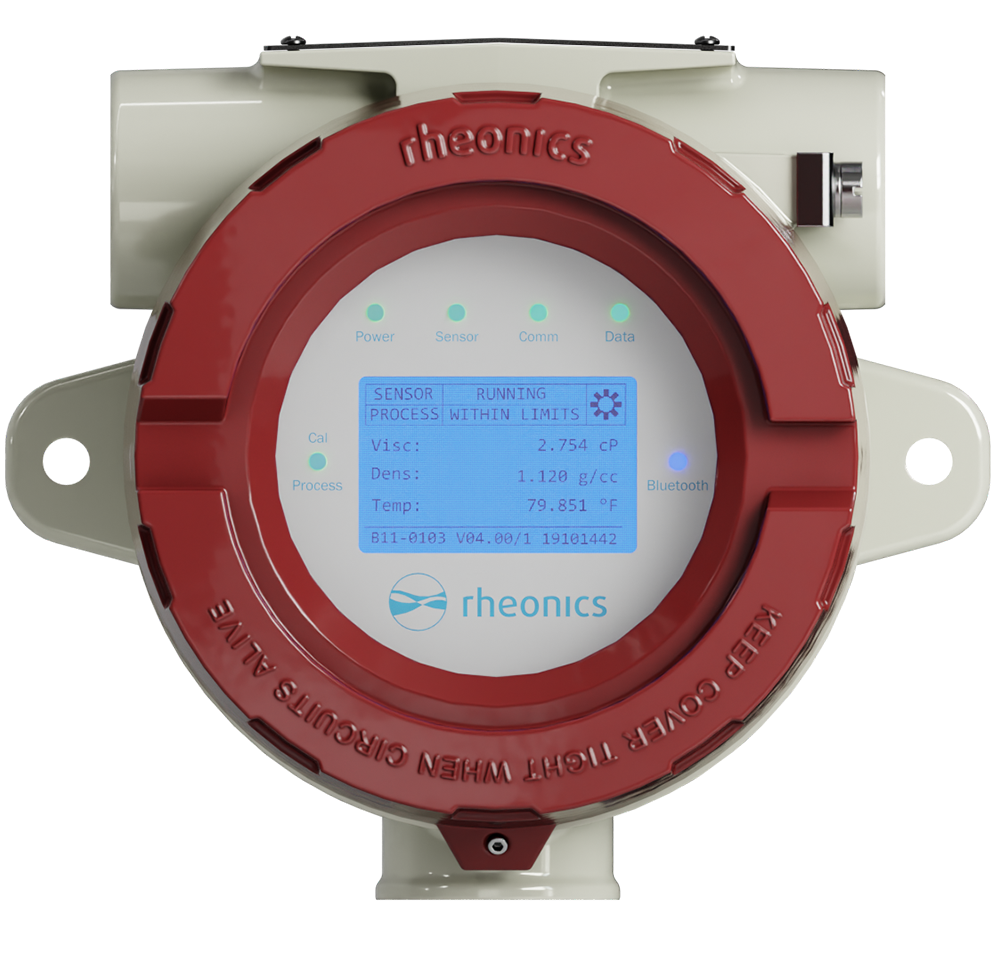
What products are involved?
This article is based on the SME-TRD Transmitter Display Module, the display variant used with Rheonics inline viscosity sensors SRV and SRD.
What is the purpose of this article?
This article explains the correct orientation of the SME-TRD display, when and why an operator may need to change it, and how to use the display connector on the back of the module to set the desired orientation.
TABLE OF CONTENTS
1. Introduction
The SME-TRD is the transmitter display variant used with Rheonics inline viscosity sensors such as the SRV and SRD. It shows real-time sensor status (whether the sensor hardware is operating correctly, for example SENSOR RUNNING), process status (a status indicator reported by the SME electronics, for example PROCESS WITHIN LIMITS), and live readings of viscosity, density, and temperature.
Because the SRV and SRD can be installed on vertical pipes, horizontal brackets, or panels, the display sometimes needs to be rotated so the readings stay upright for the operator. To do this, re-seat the display connector into one of four keyed positions on the back of the module: 0°, 90°, 180°, or 270°.
This article covers the default orientation, when to change it, the procedure, and basic troubleshooting.
2. Default Orientation
The SME-TRD display is shipped in its default 0° orientation. In this position, the nameplate on top of the housing faces upward and the Rheonics logo sits at the bottom of the screen, with the LED indicators (Power, Sensor, Modbus, HART, Process, Bluetooth) reading left to right.
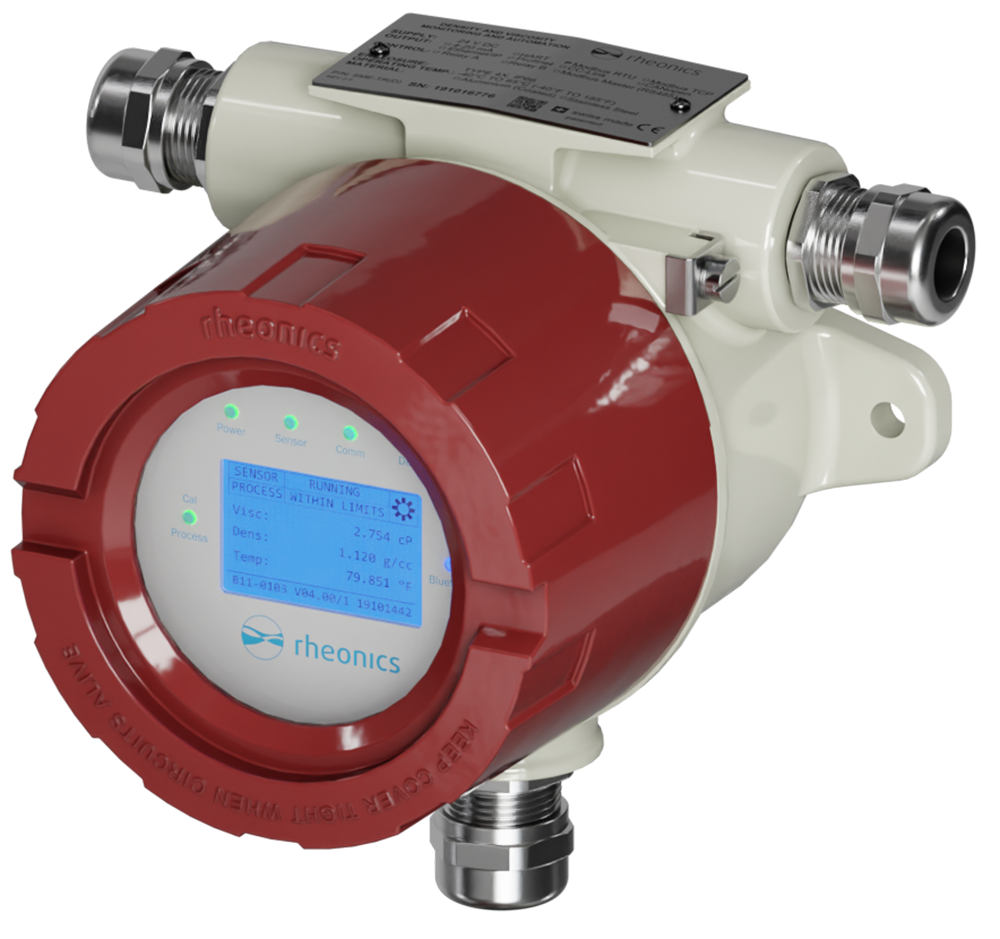
2.1. When Do You Need to Change Orientation?
You may need to rotate the display when the SME-TRD is mounted in a position that leaves the screen sideways or upside-down from where the operator is reading. Because the display sits inside the housing and rotates physically with it, the factory 0° setting only produces upright text in the standard upright mount.
Common scenarios:
- The SRV or SRD probe is mounted on a vertical pipe with the SME-TRD cable entry pointing upward.
- The SME-TRD is mounted on a horizontal pipe bracket (for example, using the TMB-TRX bracket), where the housing is rotated 90° from the standard upright mount.
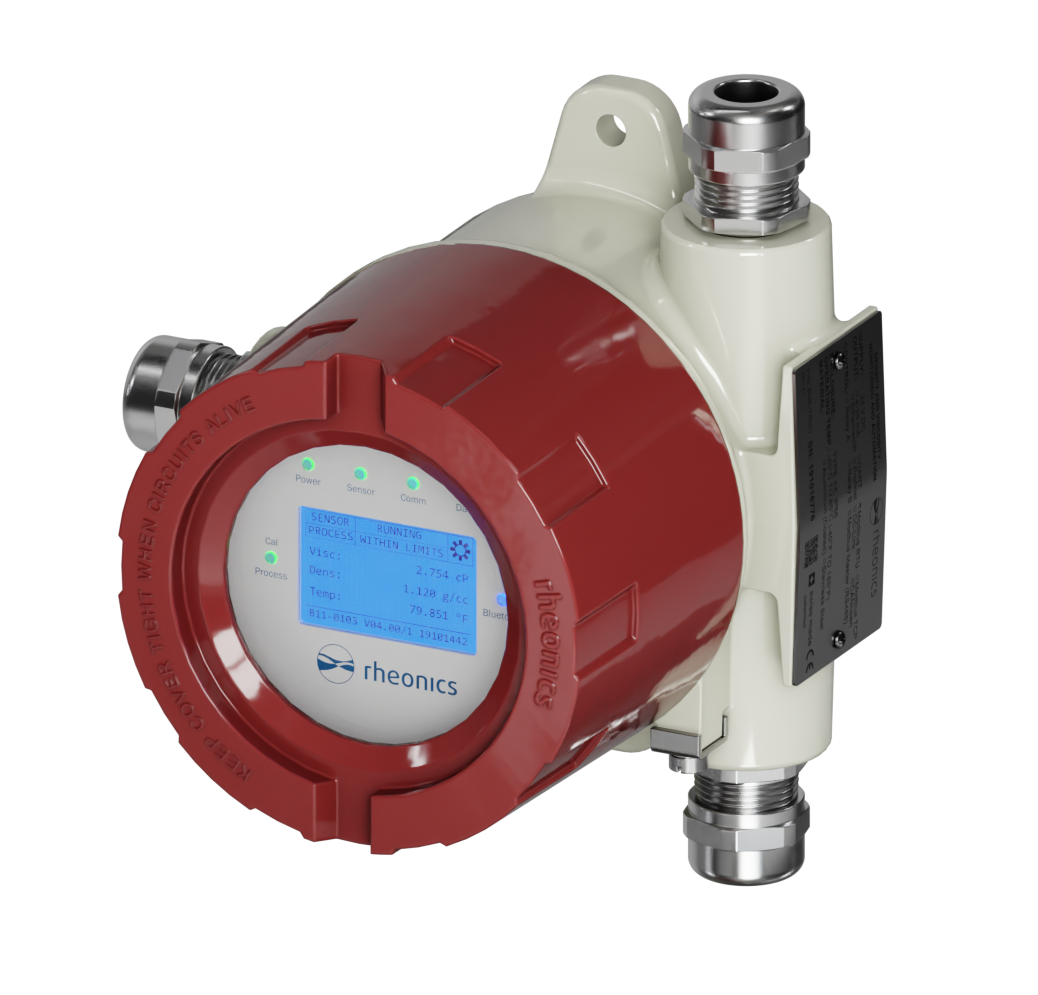
3. Display Connector Positions
The back of the display module has a display connector with four keyed positions, labeled 0°, 90°, 180°, and 270°. Each position corresponds to a different rotation of the text and graphics shown on the front screen.
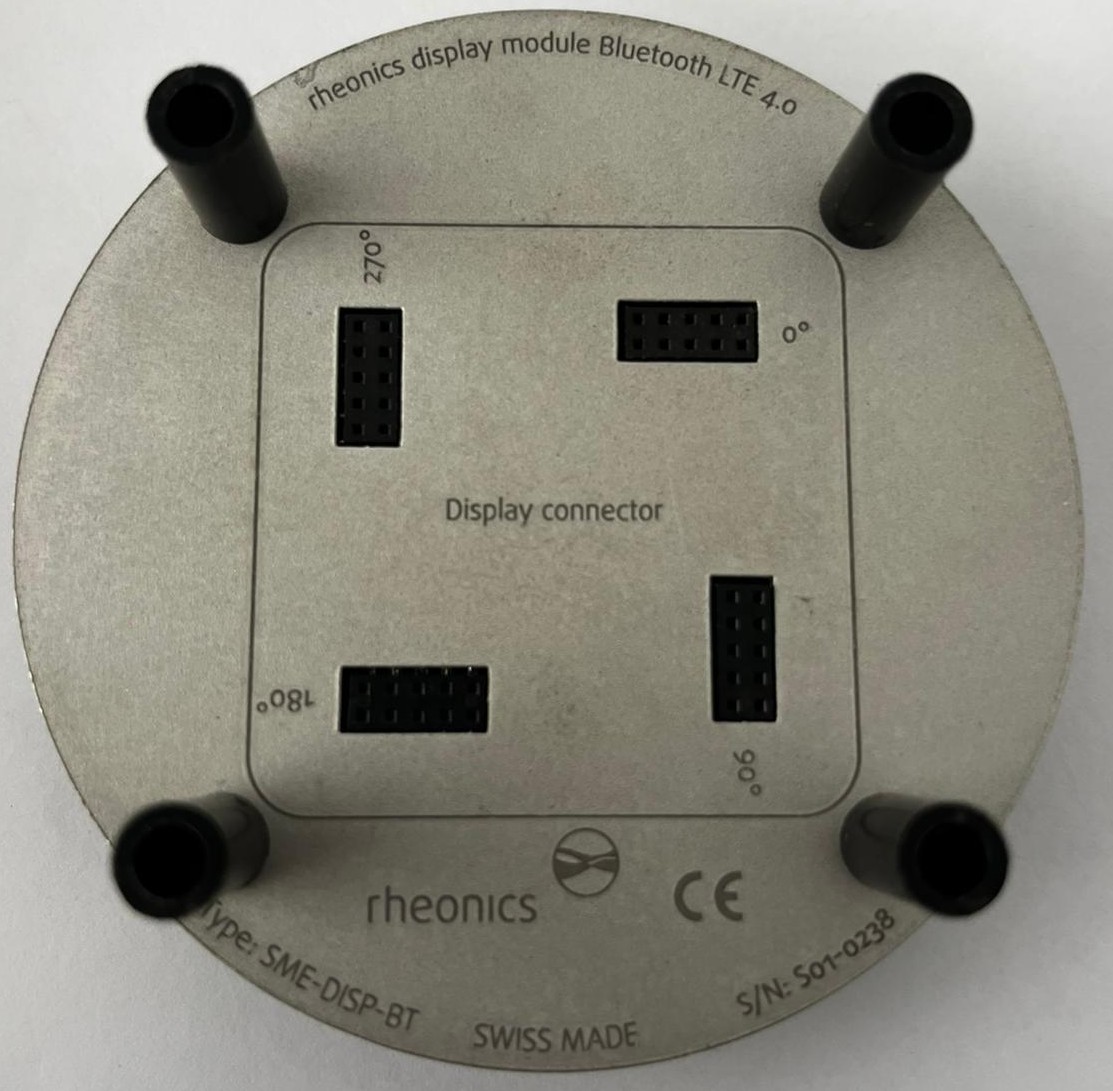
Figure 3. Back of the SME-DISP-BT display module. The four connector ports are labeled 0°, 90°, 180°, and 270°, each corresponding to one display orientation
3.1. Connector Position Reference
| Position | Physical Connector Location | Resulting Display Orientation |
|---|---|---|
| 0° | Top-right on the back panel (default, as shipped) | Standard upright |
| 90° | Bottom-right on the back panel | Rotated 90° clockwise |
| 180° | Bottom-left on the back panel | Upside-down (inverted) |
| 270° | Top-left on the back panel | Rotated 90° counterclockwise |
3.2. What the Customer Sees at Each Position
The table below shows how the display text appears from the front of the transmitter for each connector position. Use this to choose the correct position based on where the operator will be standing relative to the installed transmitter.
Connector Position | What the Customer Sees on the Display | Readable From |
|---|---|---|
0° | Text upright, logo at bottom, LEDs left to right | Directly in front |
90° | Text rotated 90° clockwise, logo on the left edge | The right side of the transmitter |
180° | Text upside-down, logo at top, LEDs right to left | Above or behind the transmitter |
270° | Text rotated 90° counter-clockwise, logo on the right edge | The left side of the transmitter |
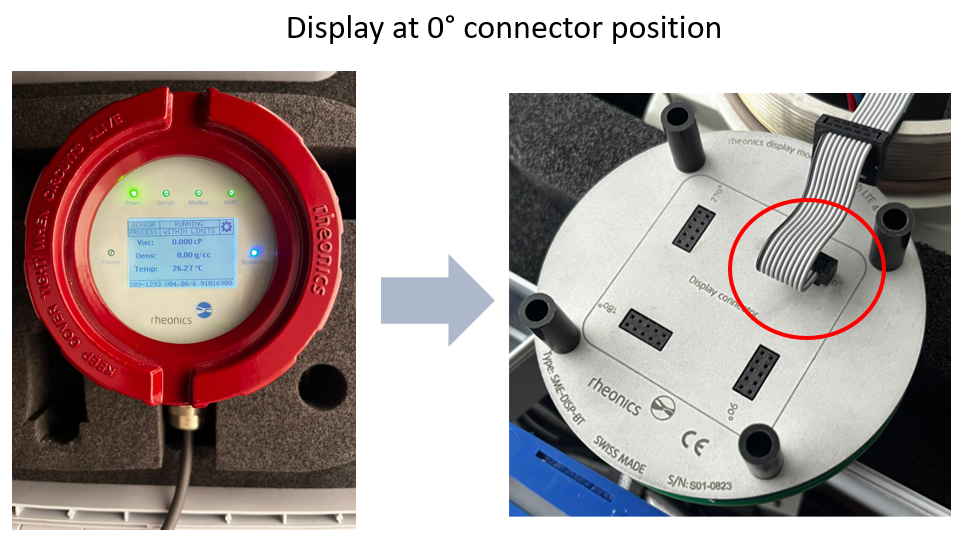
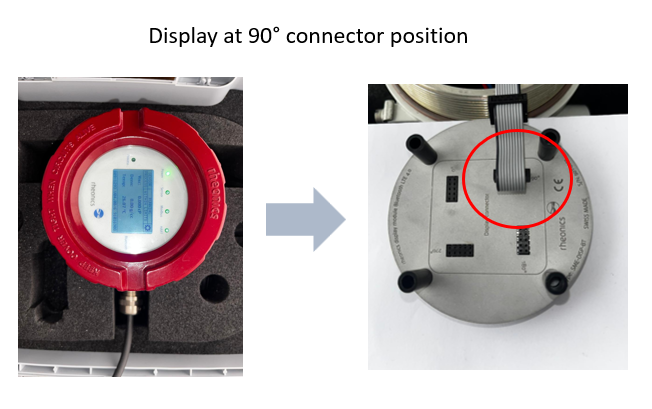
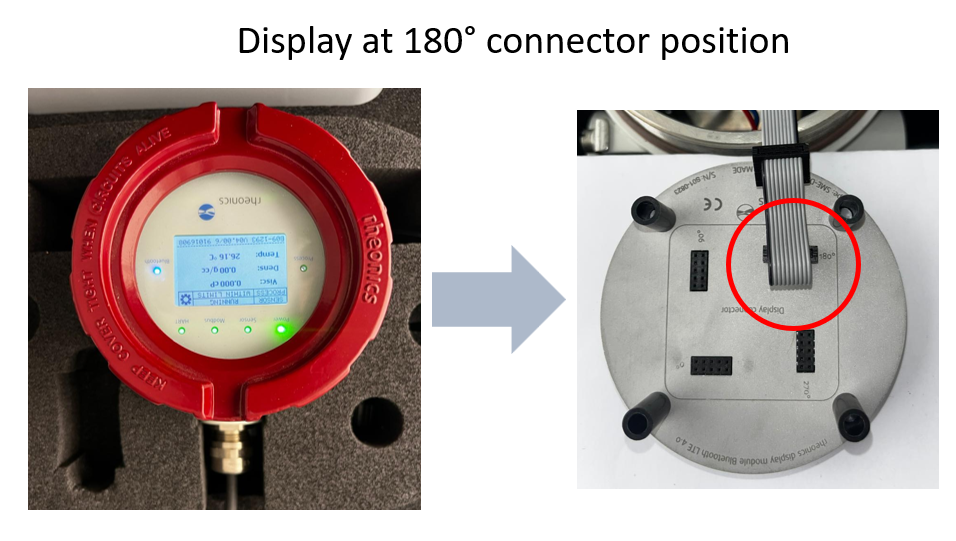
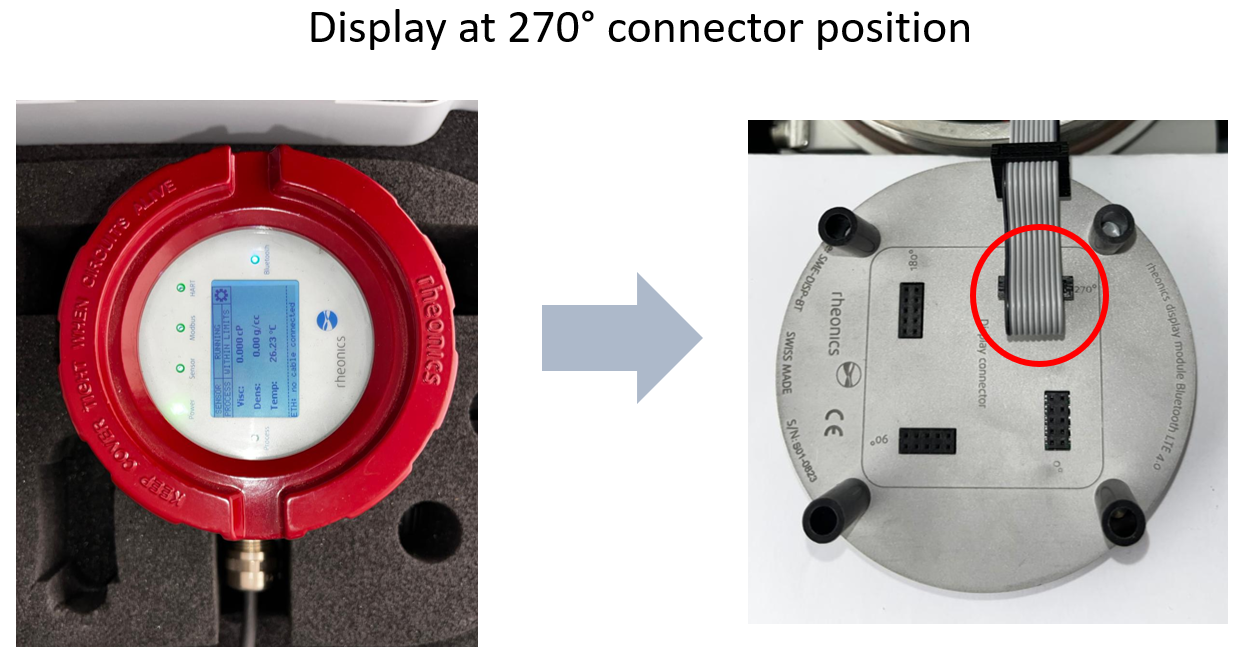
Figures 3 to 7. Customer view of the SME-TRD display at each of the four connector positions.
4. How to Change the Display Orientation
Always ensure the transmitter is powered off before opening the red cover or handling the display module. Live circuits inside the housing can cause electrical shock and damage the electronics.
4.1. Procedure
- Open the red cover by rotating it anticlockwise.
- Pull out the display module carefully. The module slides out to give access to the connector and communication ports.
- Disconnect the pin header (the cable connecting the display to the electronics board) from the back of the display module.
- Reinsert the pin header into the desired orientation position (0°, 90°, 180°, or 270°) on the back of the display module. Align the connector keyway with the target port and press firmly until fully seated.
- Re-seat the display module into the transmitter housing:
- Align the four black legs of the display module with the four metal legs of the transmitter housing.
- Ensure the display connector pins align with the display connection port on the electronics (SME-EH).
- Close the red cover and rotate clockwise until tight. Keep the cover tight at all times to protect the electronics from moisture and dust.
- Power on and verify the orientation.The display should now show measurements right-side up from the operator's reading position. The screen content is organized as follows:
- Line 1: Sensor status (e.g.,
SENSOR RUNNING) - Line 2: Process status (e.g.,
PROCESS WITHIN LIMITS) - Lines 3 to 5: Live measurements (Viscosity, Density, Temperature)
- Line 1: Sensor status (e.g.,
If the display is still not oriented correctly, power off the transmitter and repeat steps 1 to 6 using a different connector position.
For the complete installation procedure of the display module itself (not just orientation), see Transmitter Display Module installation instructions (SME-TRD).
5. Troubleshooting
| Issue | Symptoms | Cause | Action |
|---|---|---|---|
| Display does not power on | Screen blank, LEDs off after power up. | Pin connector not fully inserted or incorrectly positioned. |
|
| Display oriented wrong way after reassembly | Text appears sideways or upside down. | Pin header inserted in wrong position. |
|